Drop your file here
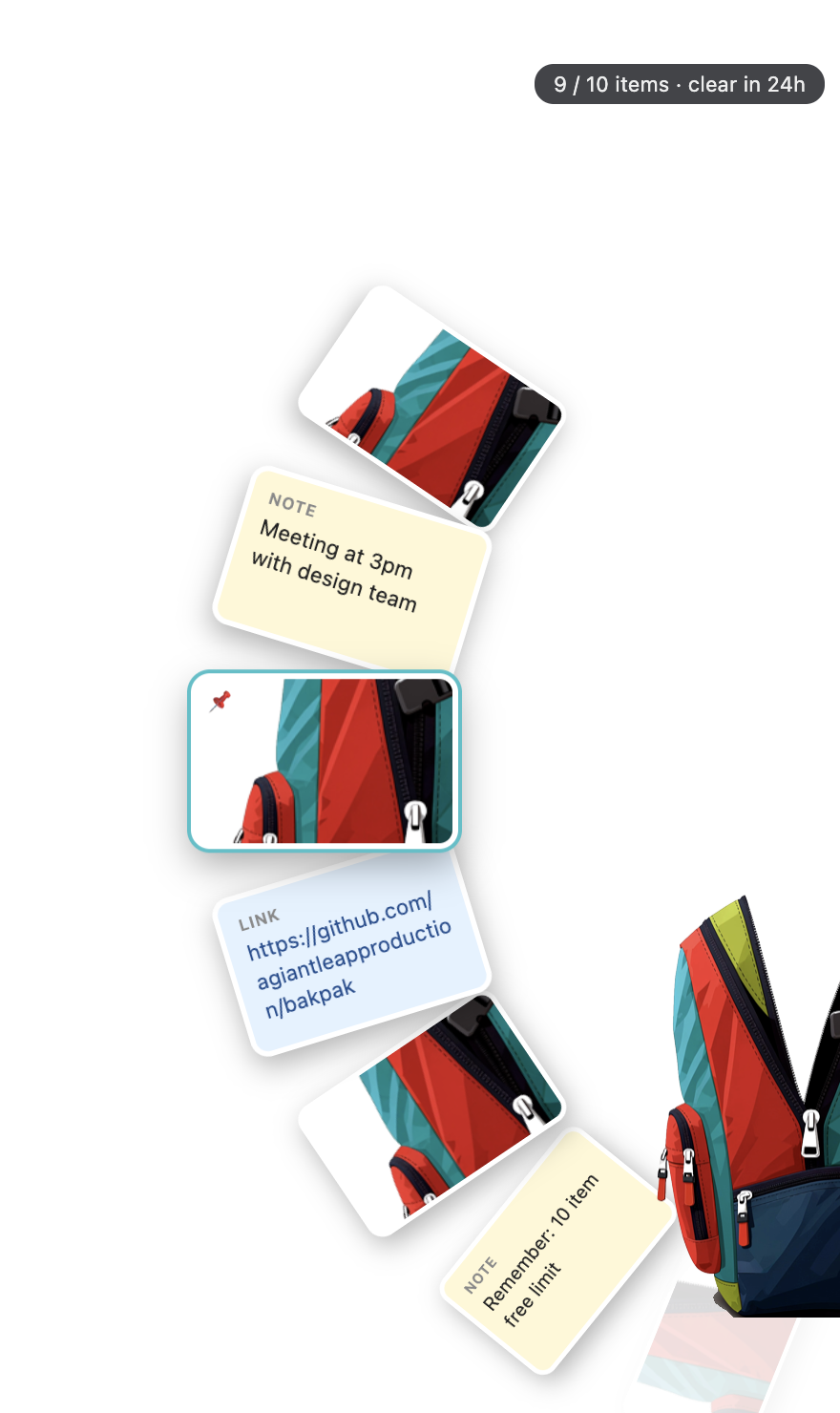
BakPak hangs on the edge of your screen and follows you everywhere. Drag screenshots, text, images and files in, then drag them out wherever you need them.
Launching soon for Mac. We'll email you once, when it's ready.
Free · macOS 12 or later · Apple Silicon and Intel
Take a screenshot, save it, find it, upload it. Or hold the little preview with one hand while you swipe between windows with the other.
With BakPak you drop it in the bag, switch to wherever you're going, and drag it straight out. Nothing piles up on your Desktop.
There's a real BakPak on the right edge of this page. Go ahead, play with it.
Open this page on a computer to try BakPak right here.
The demo only lives on this page. Nothing is uploaded or saved, and it empties itself every 3 minutes.
Three moves. No folders, no Downloads, no window juggling.
Drag a screenshot, highlighted text, an image from a website or any file onto the backpack, even when it's zipped shut.
The bag stays on the edge of your screen across every app and desktop. Hide it to a tiny tab when you want the space.
Click to unzip. Your items fan out on a wheel. Drag one into a website, chat, email or folder.
Built for the in-between moments: grabbing something here so you can use it there.
Drag the screenshot preview into the bag, or press ⌘⇧B to snap a region straight in. Nothing lands on your Desktop.
Highlight text anywhere and drop it in to make a note, or write one right in the bag.
Drag images off any website. WebP and other web formats are saved as PNG so they upload anywhere.
Grab something you copied earlier. Kept in memory only, and passwords are skipped.
Save your email, address or signature once. One click copies it, forever.
Find anything in the bag in a second, including words inside your screenshots with Pro.
Items fan out of the bag on a curved wheel. Scroll to spin through them. Click one for a closer look.
Items clear after 24 hours so the bag never gets messy.
Hold and drag the bag up or down the edge. Hide it to a small tab and bring it back with a click.
For people who live in their bag.
"Email Sam before I close the laptop." When it's due, the bag pops out and shakes until you look.
BakPak reads the words in your screenshots on your Mac, so you can copy and search them.
Record your screen straight into the bag as a video, ready to drag into any chat.
Click any pixel on your screen. The color code is copied and saved as a swatch.
No 10-item limit. Keep as much in the bag as you like.
Swap the classic bag for Stealth, Galaxy and new drops.
Everything you need for everyday dragging. Pro is on the way.
Any Mac running macOS 12 Monterey or later, with Apple Silicon (M1 and newer) or an Intel chip. The download button picks the right version for you.
No. Password managers mark what they copy as private, and BakPak skips anything marked that way. Clipboard history is kept in memory only, is never saved to disk, and you can turn it off in Settings.
They stay on your Mac, in BakPak's own folder. Nothing is uploaded anywhere. Items clear automatically after 24 hours (Pro users can pin items to keep them), and you can save any item to your computer with one click.
Not yet. Windows is next on the list after the Mac launch.
Take a screenshot as usual and drag the little preview from the corner of your screen onto the bag. Or press ⌘⇧B to select a region and drop it straight into BakPak.
Click the backpack icon in your menu bar, or right-click the bag on the edge of your screen.